Yandex Cloud
Search
Contact UsTry it for free
  • Customer Stories
  • Documentation
  • Blog
  • All Services
  • System Status
    • Featured
    • Infrastructure & Network
    • Data Platform
    • AI for business
    • Security
    • DevOps tools
    • Serverless
    • Monitoring & Resources
  • All Solutions
    • By industry
    • By use case
    • Economics and Pricing
    • Security
    • Technical Support
    • Start testing with double trial credits
    • Cloud credits to scale your IT product
    • Gateway to Russia
    • Cloud for Startups
    • Center for Technologies and Society
    • Yandex Cloud Partner program
    • Price calculator
    • Pricing plans
  • Customer Stories
  • Documentation
  • Blog
© 2025 Direct Cursus Technology L.L.C.
Yandex DataLens
  • DataLens neuroanalyst
    • Overview
    • Seats
    • Users
    • Service plans and payment
    • Appearance
    • Security
    • Navigation
  • DataLens Gallery
  • Audit Trails events
  1. Service settings
  2. Security

Yandex DataLens security settings

Written by

Yandex Cloud
Updated at December 19, 2025

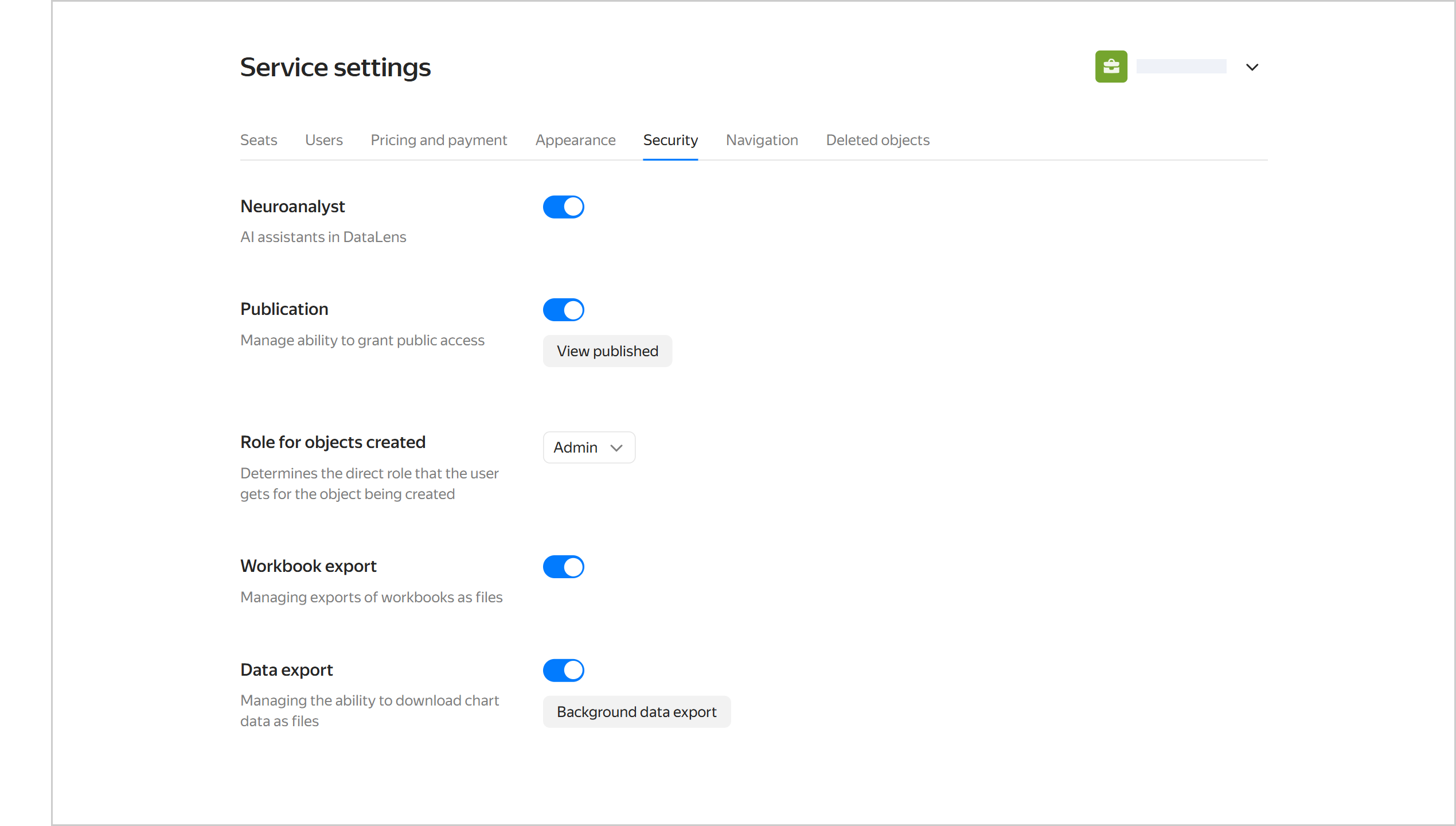
The security settings allow you to restrict the use of some DataLens features at the instance level:

  • Neuroanalyst: Restricts the use of Neuroanalyst.
  • Publishability: Prohibits publishing charts and dashboards.
  • Workbook export: Prohibits exporting workbooks as a file.
  • Data export: Restricts downloading data from charts as files.

The security settings can be accessed only by the DataLens instance administrator (user with the datalens.admin role).

To the access the security settings:

  1. In the left-hand panel, select Service settings. If the panel does not feature , first select More, then Service settings.

  2. Select the Security tab.

    image

Was the article helpful?

Previous
Appearance
Next
Navigation
© 2025 Direct Cursus Technology L.L.C.