Yandex Cloud
Search
Contact UsTry it for free
  • Customer Stories
  • Documentation
  • Blog
  • All Services
  • System Status
    • Featured
    • Infrastructure & Network
    • Data Platform
    • AI for business
    • Security
    • DevOps tools
    • Serverless
    • Monitoring & Resources
  • All Solutions
    • By industry
    • By use case
    • Economics and Pricing
    • Security
    • Technical Support
    • Start testing with double trial credits
    • Cloud credits to scale your IT product
    • Gateway to Russia
    • Cloud for Startups
    • Center for Technologies and Society
    • Yandex Cloud Partner program
    • Price calculator
    • Pricing plans
  • Customer Stories
  • Documentation
  • Blog
© 2025 Direct Cursus Technology L.L.C.
Yandex DataLens
  • DataLens neuroanalyst
    • Overview
    • Working with datasets
    • Data model
    • Dataset settings
    • Versioning
    • Adding dataset info
    • Source parameterization
    • Data types
    • Data type mapping
  • DataLens Gallery
  • Audit Trails events
  1. Datasets
  2. Source parameterization

Parameterization of dataset sources in Yandex DataLens

Written by

Yandex Cloud
Updated at October 28, 2025

Parameterization of dataset sources allows you to dynamically substitute parameters from a chart into an SQL query or a table or schema name.

To enable source parameterization:

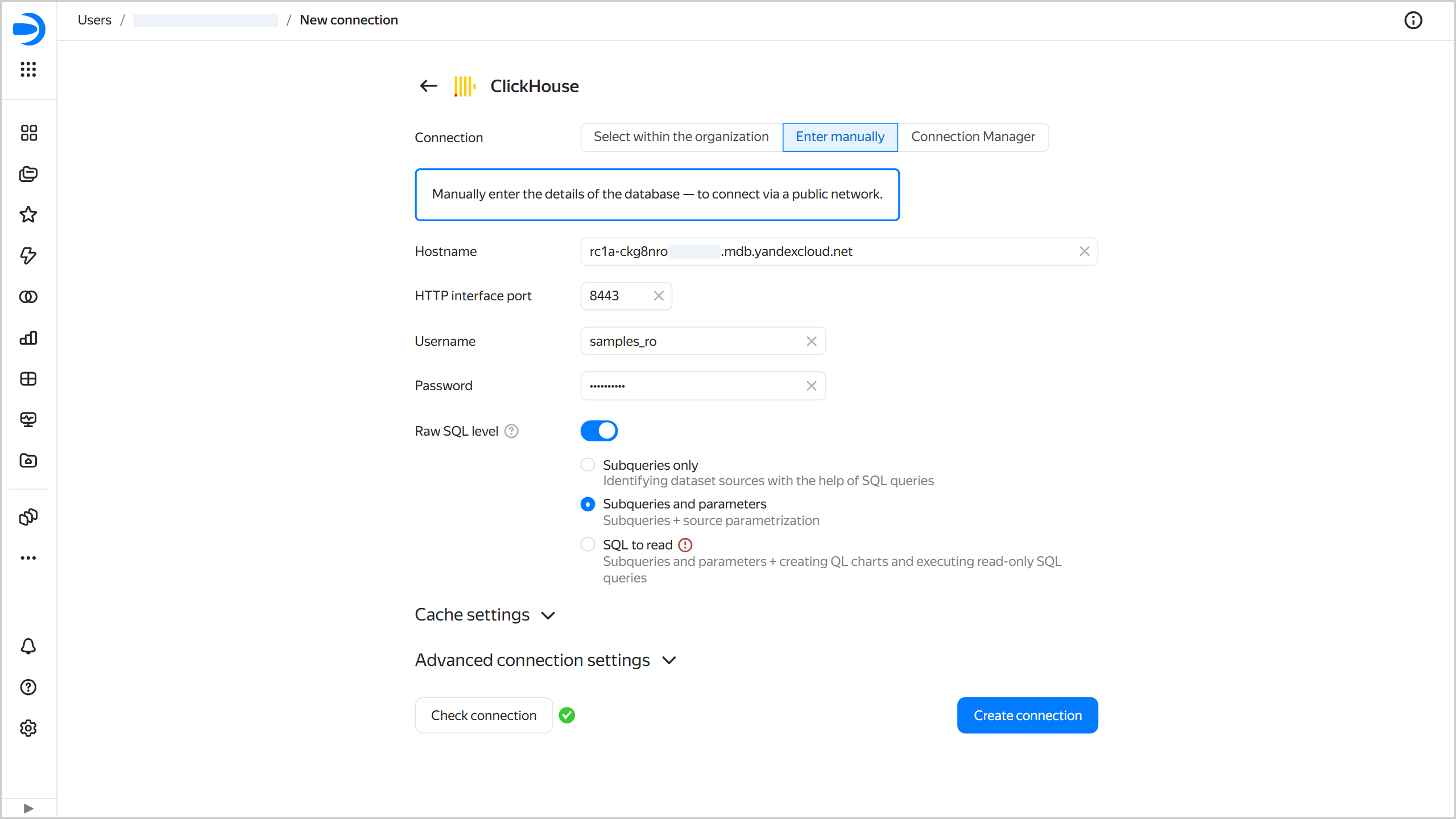
  1. Configure a Raw SQL level at the connection level. Enable the setting and select the Allow subqueries in datasets and source parameterization level.

    Connecting with source parameterization
    create-connection

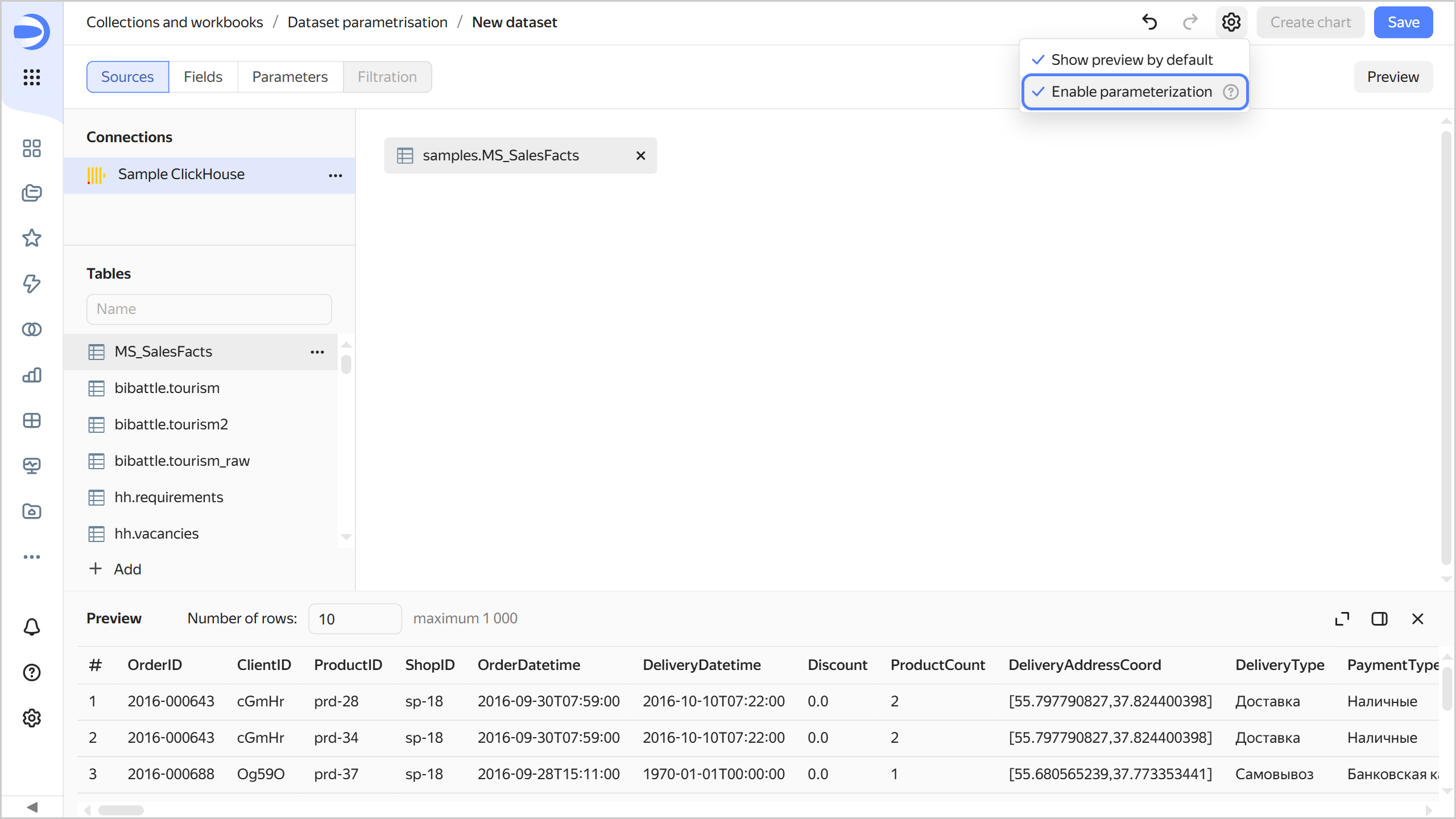
  2. Create a dataset and click Enable parameterization in its settings .

    Enabling parameterization in a dataset
    image

  3. Follow the steps to add the parameter and enable the Allow use in source setting option in its settings. Available value types: Integer, fractional number, string, date, and date and time.

  4. To define a dataset, use the Insert parameter button.

For an example of using parameters in a source, see Source parameterization in DataLens.

ClickHouse® is a registered trademark of ClickHouse, Inc.

Was the article helpful?

Previous
Adding dataset info
Next
Data types
© 2025 Direct Cursus Technology L.L.C.