Yandex Cloud
Search
Contact UsTry it for free
  • Customer Stories
  • Documentation
  • Blog
  • All Services
  • System Status
    • Featured
    • Infrastructure & Network
    • Data Platform
    • AI for business
    • Security
    • DevOps tools
    • Serverless
    • Monitoring & Resources
  • All Solutions
    • By industry
    • By use case
    • Economics and Pricing
    • Security
    • Technical Support
    • Start testing with double trial credits
    • Cloud credits to scale your IT product
    • Gateway to Russia
    • Cloud for Startups
    • Center for Technologies and Society
    • Yandex Cloud Partner program
    • Price calculator
    • Pricing plans
  • Customer Stories
  • Documentation
  • Blog
© 2025 Direct Cursus Technology L.L.C.
Yandex DataLens
  • DataLens neuroanalyst
    • Overview
    • Working with datasets
    • Data model
    • Dataset settings
    • Versioning
    • Adding dataset info
    • Source parameterization
    • Data types
    • Data type mapping
  • DataLens Gallery
  • Audit Trails events
  1. Datasets
  2. Adding dataset info

Adding dataset info in Yandex DataLens

Written by

Yandex Cloud
Updated at December 16, 2025

To add dataset info, do the following:

  1. Open the dataset to add info for.

  2. Click at the top of the screen.

  3. Enter the information and click Save.

    Adding dataset info
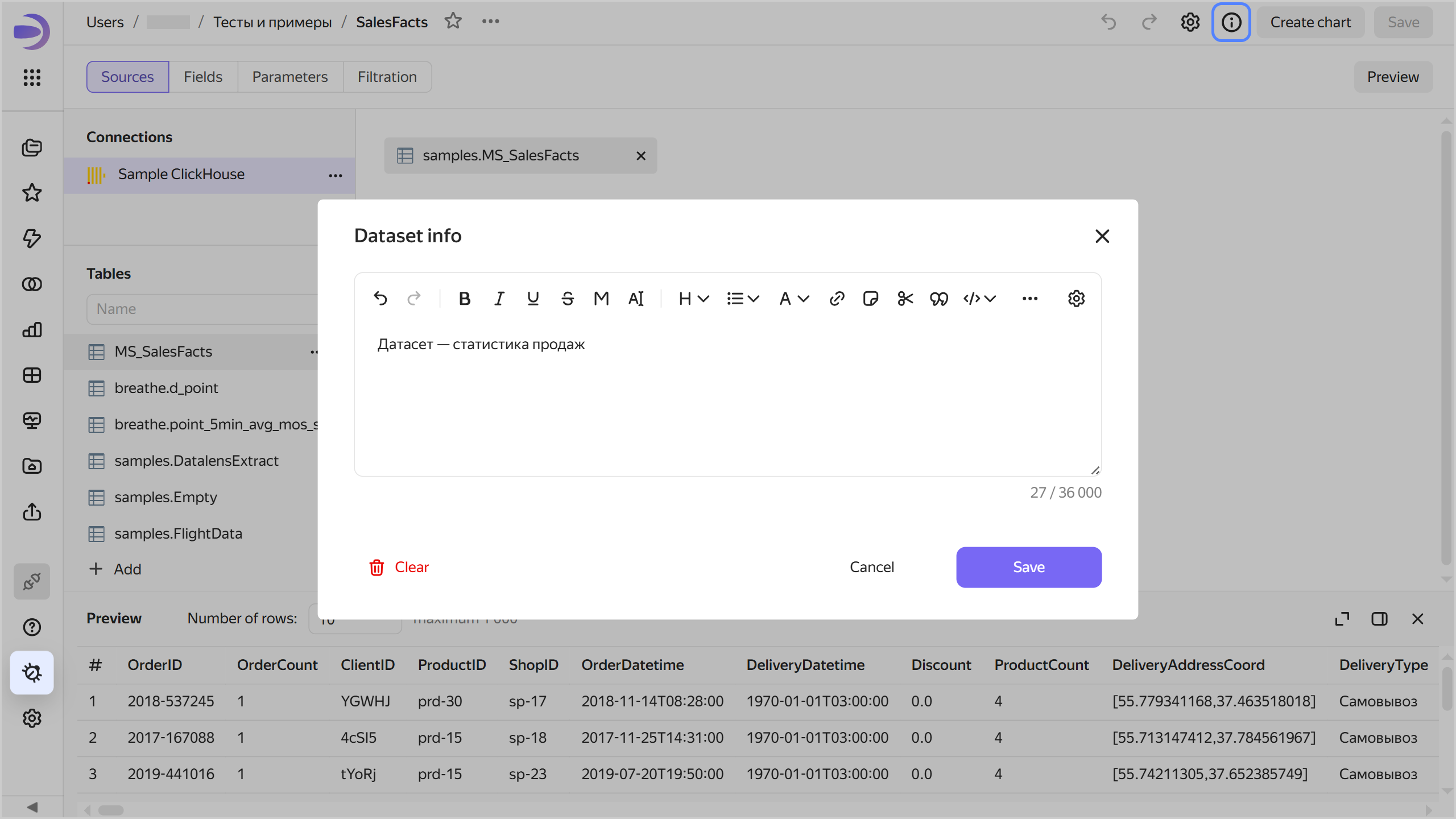
    add-description

  4. In the top-right corner, click Save.

Now all users will see the icon in the top-right corner of the dataset. Clicking it will open the Dataset info window with the information.

Viewing dataset info
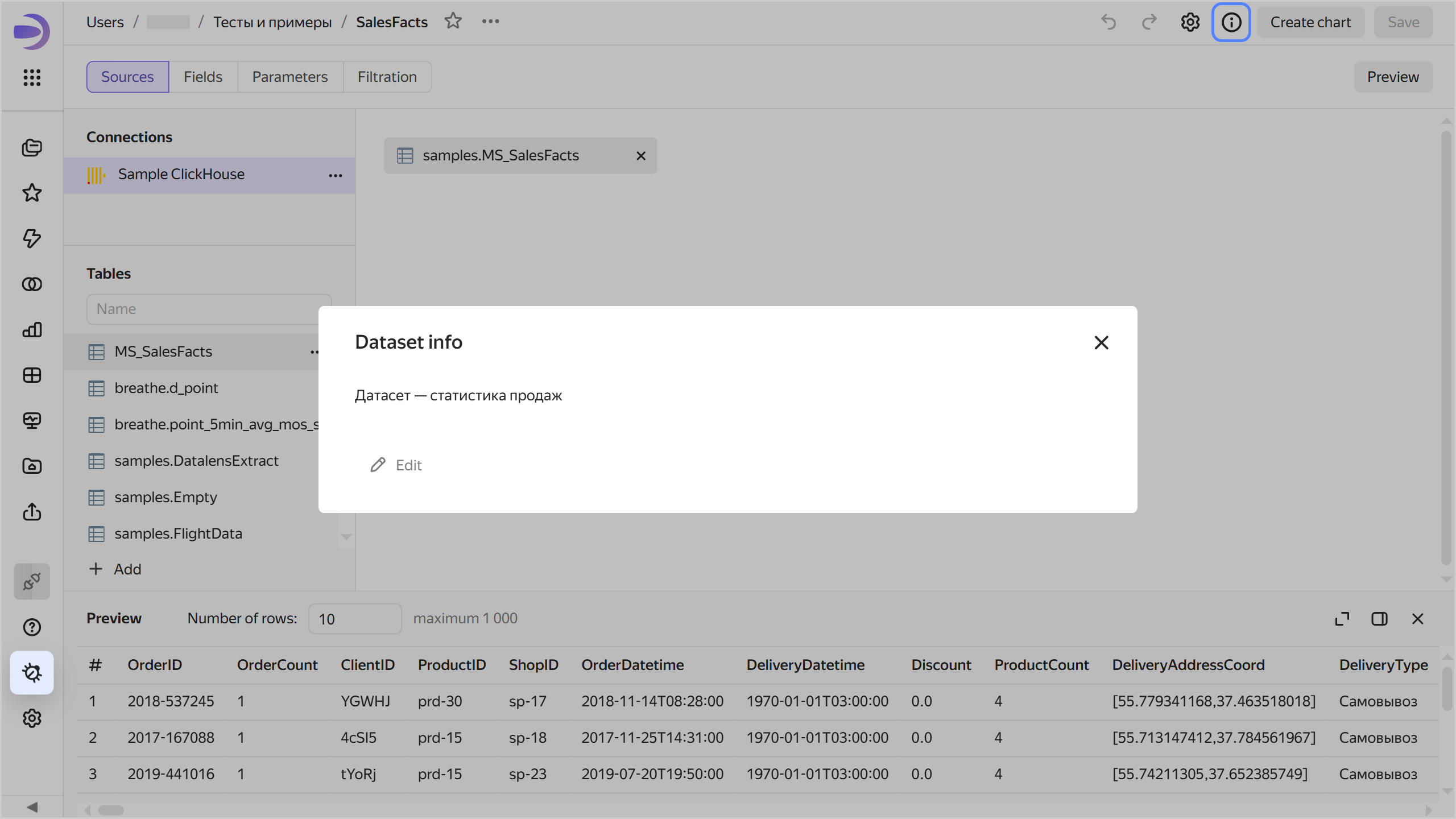
add-description

To remove dataset info, save an empty field in the Dataset info window. Users will no longer see the icon.

Was the article helpful?

Previous
Versioning
Next
Source parameterization
© 2025 Direct Cursus Technology L.L.C.