Yandex Cloud
Search
Contact UsTry it for free
  • Customer Stories
  • Documentation
  • Blog
  • All Services
  • System Status
  • Marketplace
    • Featured
    • Infrastructure & Network
    • Data Platform
    • AI for business
    • Security
    • DevOps tools
    • Serverless
    • Monitoring & Resources
  • All Solutions
    • By industry
    • By use case
    • Economics and Pricing
    • Security
    • Technical Support
    • Start testing with double trial credits
    • Cloud credits to scale your IT product
    • Gateway to Russia
    • Cloud for Startups
    • Center for Technologies and Society
    • Yandex Cloud Partner program
    • Price calculator
    • Pricing plans
  • Customer Stories
  • Documentation
  • Blog
© 2026 Direct Cursus Technology L.L.C.
Yandex Resource Manager
  • Getting started
    • All guides
    • Managing labels
      • Creating a folder
      • Updating a folder
      • Deleting a folder
      • Setting up access rights
      • Folder navigation
      • Getting the folder ID
      • Getting notifications from services in a folder
    • Viewing service resource operations
  • Access management
  • Pricing policy
  • Terraform reference
  • Audit Trails events
  • Release notes
  • FAQ
  1. Step-by-step guides
  2. Folder
  3. Folder navigation

Switching to a different folder

Written by

Yandex Cloud
Updated at December 19, 2025
Management console
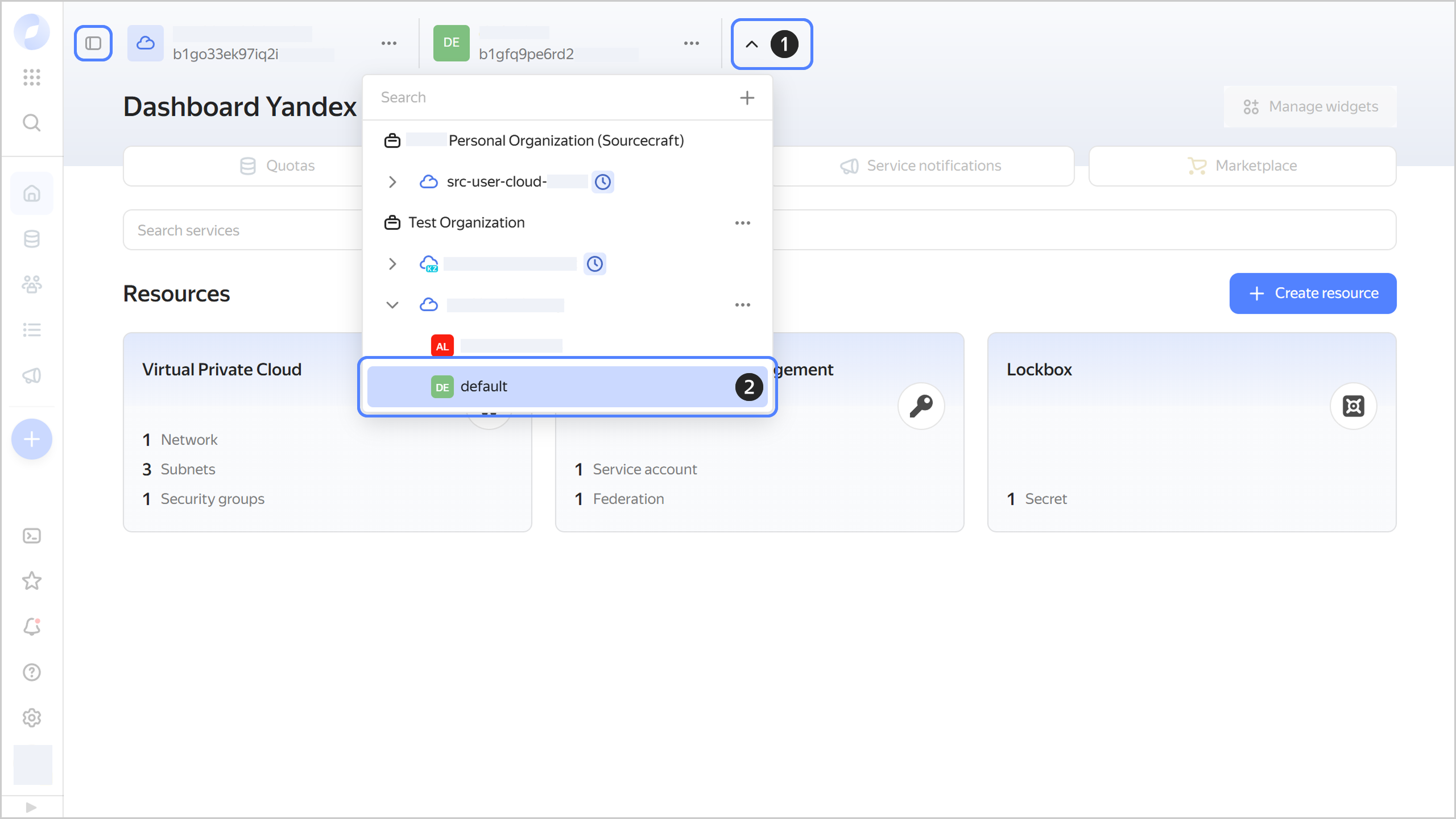
  1. In the management console, in the top panel, click .

  2. Select the folder you need.

    You can also pin the panel with the list of clouds and folders by clicking Pin folder tree.
image

Was the article helpful?

Previous
Setting up access rights
Next
Getting the folder ID
© 2026 Direct Cursus Technology L.L.C.