Speech recognition using Playground

To recognize speech from an audio file via the SpeechKit Playground:
-
In the management console, select the folder you are going to use to work with SpeechKit.
-
Go to SpeechKit.
-
In the left-hand panel, select SpeechKit Playground.
-
Navigate to the Speech recognition tab.
-
Under Recognition parameters:
- Language: Select the language or leave
Automatic. - Text normalization: Presents dates and times in numerical format, converts numbers from text to digits, and provides access to additional settings.
- Profanity filter: Masks profanity.
- Literature text: Adds capital letters and punctuation marks.
- Speaker recognition: Attributes each recognized phrase to a particular speaker.
- Grouping speaker phrases: Divides phrases into two groups by speaker.
- Language: Select the language or leave
-
Click Select file or drag the audio file to the loading area.
Tip
Convert the file to a supported audio format beforehand: MP3, WAV, or OGG with the OPUS audio codec. Maximum file size: 60 MB.
-
Classifiers: Finds phrases of a given category in the text, e.g., greetings, negative or obscene language. This works only for Russian.
-
Result processing: Processing of results with the help of an LLM:
- Model: Select a model for processing. The processing cost depends on the model you select.
- Instructions:
- Enter a prompt in the input field or select a ready-made one.
- Result format: Specify your preferred recognition result format.
- Add instructions: Add another instruction. You can add up to five instructions in total.
-
Click Start recognition to start speech recognition for the audio file.
Recognition may take from a few seconds to a few minutes depending on the audio file size.
-
Click View code to get the request code for Python REST or Python gRPC.
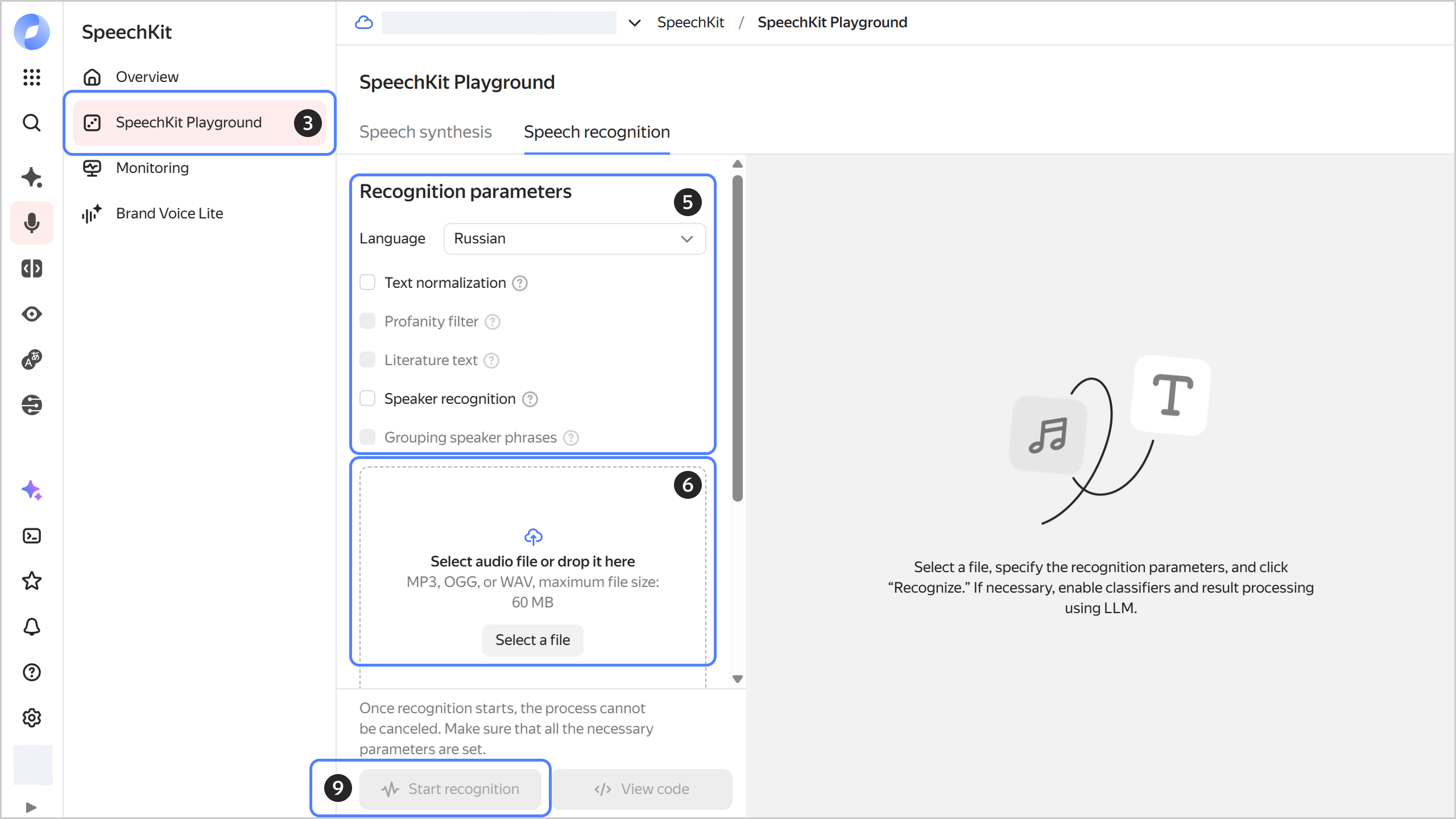
SpeechKit Playground features basic speech recognition options. For more flexible recognition settings, use the API.